Showing posts with label Cloud. Show all posts

Saturday, 31 March 2012

Test Drive The Google Drive In April!


What’s Google Drive?

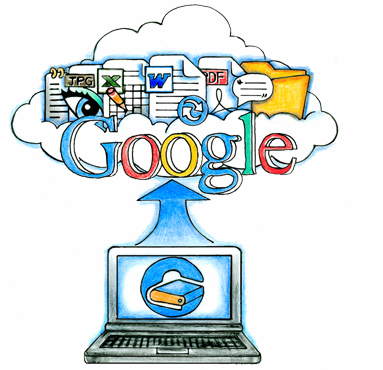
Google Drive (not to be confused with Google’s existing internal Gdrive project, code-named Platypus) is a web application to allow Google users – those with a Google account – to store their files, accessible everywhere. Let’s hand out 100 Gigabytes for starters, just to have some wow factor like when Gmail was released (and like Gmail, Google Drive ought to start out as invite-only Beta).
Other potential product names for this service are e.g. Gdrive, Google Files, Gfiles, Google Store, Google Zone, Google Data, Gvault, G:\, or Google Storage.


Google Drive also known as GDrive may appear during April of 2012. Google drive is an online file storage system from Google and it has been in the limelight from 2006 onwards.

Mr. Om Malik , who is the founder of GigaOm, is pretty confident that the Google Drive would subsequently appear in the April of 2012. He said that he got this information from “well placed” sources. He is still in a bit of a doubt as the history of Google Drive system has not been very good in terms of punctuality.

There have been many years since the time we have been hearing about the Google Drive. The first time when Google Drive became famous was in 2006 when first rumors about it emerged through the Wall Street Journal.


As of now, there is no official date given as the launch date of Google Drive, but there are chances that it might be released during the first week of April, 2012. Google on the other hand have not spoken anything about the whole story and they are keeping quiet and don’t like to comment on any of the rumors heated up so far.

According to the sources that Mr. Om has, Google would be giving out 1 GB of free online storage to everybody, but would charge certain amount for additional storage space required.  Currently the world leader in storage space – Dropbox, provides 2 GB of free online storage space to interested users. The Google Drive will function in a similar manner as the Dropbox having the architecture of local client machine and an online web interface.

The Google Drive will be having the looks as shown in the screen shot above. The screenshot is a leaked image that is all over the place. Google is keen on keeping consistency in terms of look and feel across all its services so we expect the look of Google Drive to be something like Google Docs service. One more thing that is really exciting is that, that Google Drive would be available for Google Docs services. It would also be specific to a domain.

We expect that the whole process of sharing files would be given a new dimension with the launch of Google Drive. We are eagerly waiting for the Google Drive services to be launched by Google as soon as possible.


Thursday, 23 February 2012

Take Your Android To Your PC With BlueStacks App Player!


Ever played a game or used an application on your mobile device that you wish existed for your computer/laptop as well?
Well, if you are an Android users, which has a market place filled with millions of applications, some of them so good that we too have also felt that it would have been awesome if we were able to run the same applications on our PC. To quote a couple, Fruit Ninja, Angry Birds and a few others have been our all time favorite that we have always wished to play on our PCs.
01 BlueStacks Run Android Applications on your PC : BlueStacks App Player tech reviews  version spotlight Player phone Draft custom apps Cloud Auto application Android apps android
So here is an application which, well, we wouldn’t term it anything less than revolutionary. An application has been developed that lets you run Android application without doing any changes to your system OS! The alpha version of its App Player — software that allows users to run a host of Android apps on Windows PCs, tablets or desktops, without requiring them to make modifications to their original OS.  It features 10 pre-loaded apps along with an option to add custom apps. You can either download new apps from the BlueStacks Channel or push your favorite apps from your Android phone to your PC via BlueStacks Cloud Connect.
Even though the Alpha test version of the app player has been called off for now and one can expect the beta version to be available anytime soon but if you are one of those who loves to ‘try’ things out before they are officially available, here is the alpha version of the App Player which, as stated, will let you use 10 pre loaded apps and a few custom apps which is supports as of now.
A great feature of this application is that you can push the apps from your Android device to your PC by using the BlueStacks Cloud Connect option. To use BlueStacks Cloud Connect, you must first install the BlueStacks Cloud Connect app on your phone from the Android Market. Once done, open the Cloud Connect page on your PC’s browser to receive a Phone PIN. Open the app on your phone, enter the PIN and tap OK. You should now be able to see a list of all your apps inside BlueStacks Cloud Connect. Check the app that you want to push to your PC and tap Sync.
BlueStacks App PlayerU A 310834 13 Run Android Applications on your PC : BlueStacks App Player tech reviews  version spotlight Player phone Draft custom apps Cloud Auto application Android apps android
All in all, this is one application that you should surely try out. Even though the application was only in its alpha version, it showed a lot of promise letting you run applications without much issues. Hence, expectBluestacks to come up with support for many more applications and make your desktop your next Android home!
Amazing application. A must try for all.
In the end, here is a video by the developers of the App Player that lets you run Android applications on your PC!